Your device remains useful only if it is properly charged. A damaged charging port creates problems that affect power, performance, and daily use.
If you know the signs of damage, you can protect your device and avoid expensive repairs.
Early Signs of a Damaged Charging Port
The charging port shows clear symptoms when it fails. Look for these warning signs so you can act quickly and get your device into the Lab. We do not recommend cleaning the port yourself, as this may further damage the port.
- The charger can only connect if you hold the cable at an angle
- The device stops charging during normal use
- The cable is loose or comes loose by itself
- The device gets hot while charging
- You see dirt, metal fragments, or black spots inside the port
Each of these signs indicates internal wear, debris buildup, or bent connectors.
Why Does Charging Port Damage Occur?
Some common habits create pressure inside the charging port.
- Pulling or twisting the cable repeatedly
- Using low quality cables
- Allows dust and pocket lint to collect inside the port
- Allowing moisture near the connector
- Dropping the device while charging
This weakens the small pins inside the port and makes the connection unstable, interfering with charging.
How to Test Your Charging Port
You can confirm the problem with a few simple checks.
- Try another cable and another power source
- Gently clean the port using a soft toothpick or small brush (there is a greater risk of damage, so if you don’t want to take the risk, skip this step!)
- Restart the device
- Check the port with a small light and look for damage or debris
If the port still fails to charge after these steps, you likely have real damage that requires professional attention.
What to Do When Your Charging Port Needs Repair
You can protect your device by taking quick action.
- Stop forcing cables into ports
- Turn off the device when the port heats up
- Take the device to the Lab for examination
A repair specialist can repair loose connectors, clean ports, or replace damaged components. Quick maintenance prevents further damage to the battery and internal circuitry.
Lab Can Help Troubleshoot Charging Port Issues
Lab gives you clear answers and fast service for any charging problem. Our technicians inspect the ports, clean them, and repair damaged connectors. We use quality parts and proven methods that return your device to reliable charging. You’ll leave with a device that powers up properly and remains ready for daily use.
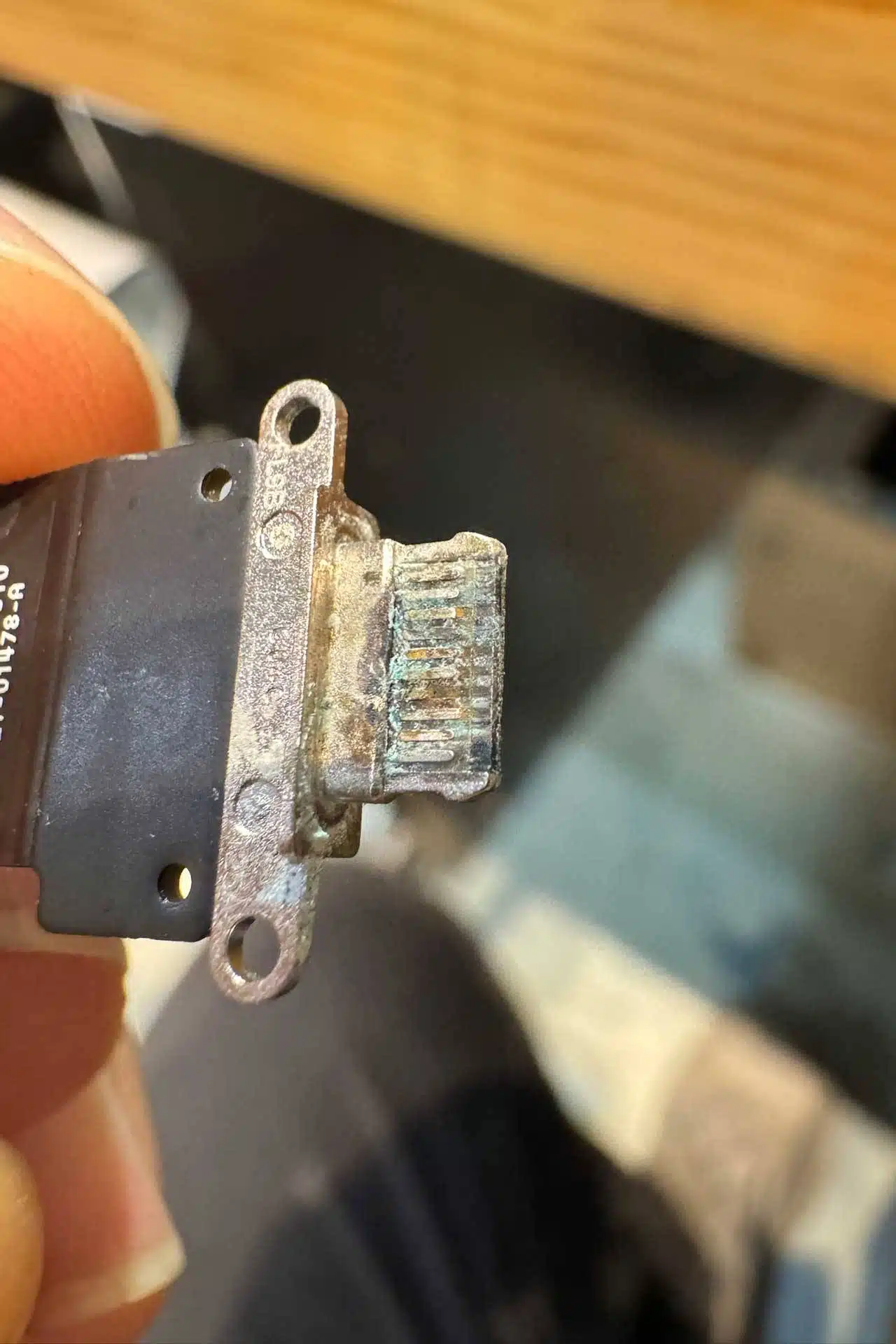
A damaged charging port disrupts your life and shortens the lifespan of your device. If you recognize the early signs, you protect your phone and avoid a bigger repair!
News
Berita Teknologi
Berita Olahraga
Sports news
sports
Motivation
football prediction
technology
Berita Technologi
Berita Terkini
Tempat Wisata
News Flash
Football
Gaming
Game News
Gamers
Jasa Artikel
Jasa Backlink
Agen234
Agen234
Agen234
Resep
Download Film
Gaming center adalah sebuah tempat atau fasilitas yang menyediakan berbagai perangkat dan layanan untuk bermain video game, baik di PC, konsol, maupun mesin arcade. Gaming center ini bisa dikunjungi oleh siapa saja yang ingin bermain game secara individu atau bersama teman-teman. Beberapa gaming center juga sering digunakan sebagai lokasi turnamen game atau esports.
Comments are closed, but trackbacks and pingbacks are open.